
The Linkak app
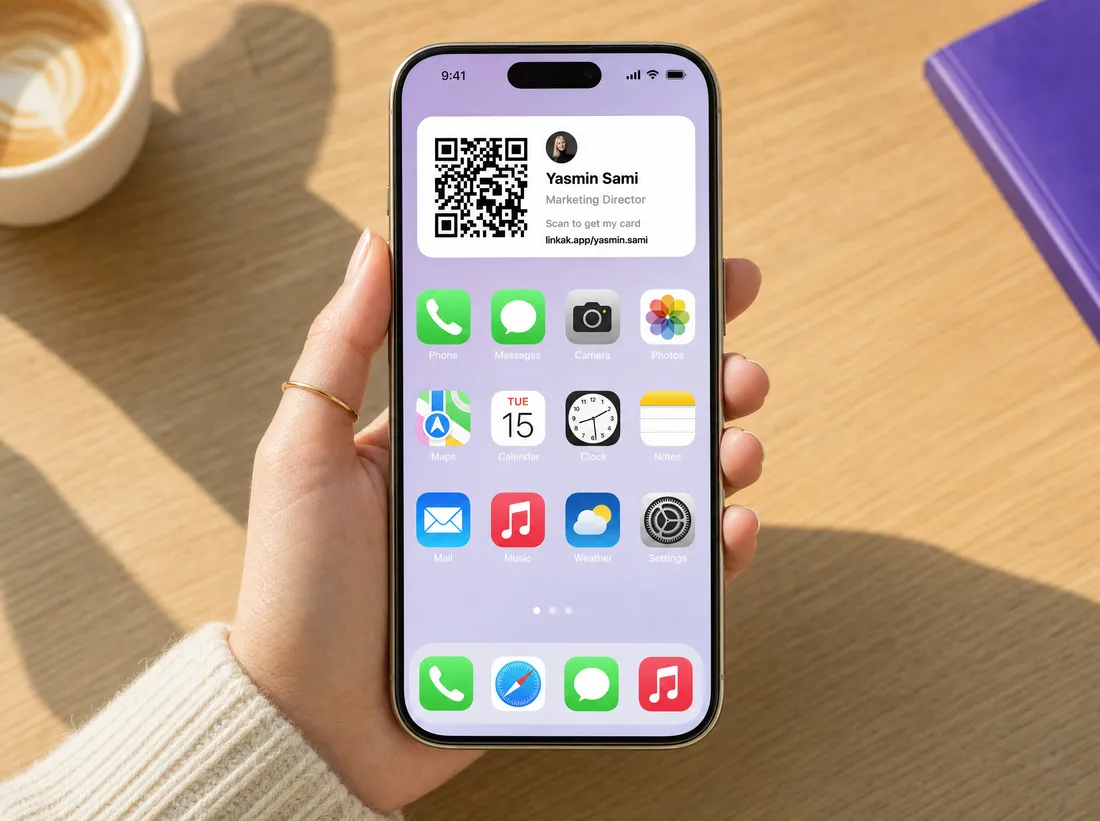
Your card and your contacts, in your pocket.
Share your card in one tap from the lock screen, scan paper cards with AI, write NFC tags, run event mode at a show and follow up — on iPhone and Android.
What changes
What you get with Linkak, with the old way crossed out below it.
- Your QR on the lock screen and home screenUnlocking your phone and hunting for a link
- Scan, note and save in the same appCards scanned on one app, contacts in another
- New contacts and saves arrive as notificationsNo idea who saved you after an event
- Edit your card from your phoneSwitching to a laptop to update anything
What you can do
Share in one tap
Widgets on the home and lock screen, and a Control Center button on iPhone.
Scan and save
Photograph a paper card, AI fills the contact, add a note.
Run an event
Event mode stays on the iPhone lock screen while you work the stand.
Follow up
Your contacts, notes and notifications for new leads, all in one place.
The details
Widgets
Home-screen and lock-screen widgets with your QR on iPhone, and a home-screen widget on Android.
Control Center and Action Button
Open your card from Control Center or the Action Button on iPhone.
Live Activity
Event mode shows on the iPhone lock screen during a show.
NFC writer
Write your card to a blank NFC card from the app.
Add to Wallet
Put your own card in Apple Wallet or Google Wallet — and your card on your Apple Watch through Wallet.
Arabic and English
The whole app in both languages, right to left done right.
Who it's for
People on the move
Everything you need away from your desk.
Sales and events teams
Capture and follow up from the floor.
Company employees
Sign in with your work email and use your company card.
Questions, answered
Is the app free?
Yes. The app is free; Pro features unlock with a Pro or company plan.
Does it work on Android?
Yes, on iPhone and Android.
Can employees use it with a company card?
Yes. They sign in with their work email and use the card their company set up.
Do the people I meet need the app?
No. Your card opens in any browser.
Can I edit my card from the app?
Yes — unless it's a company card, which the admin manages.
Your card, always one tap away.