Email signature
Every email you send hands over your card.
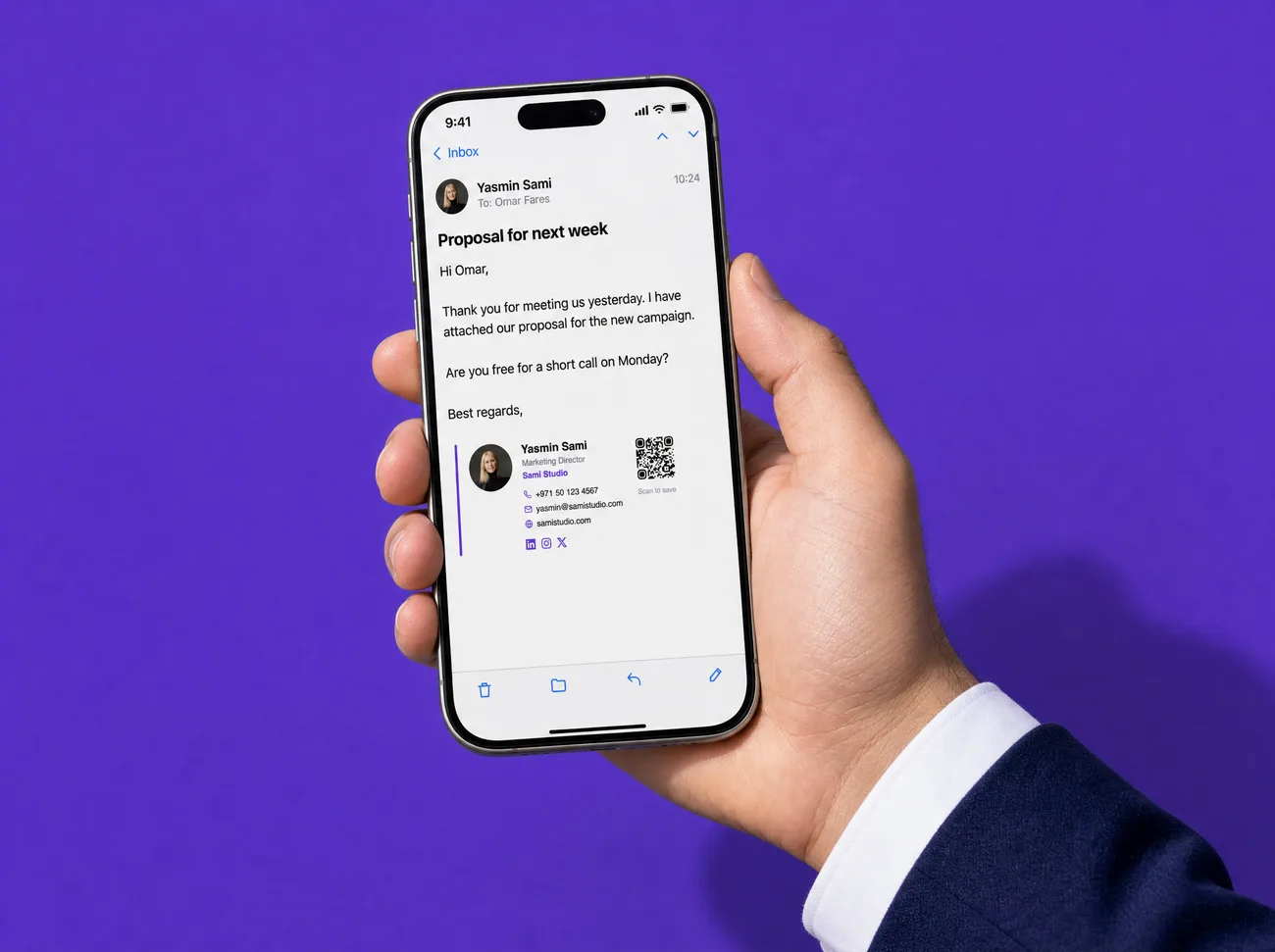
A clean signature with your photo, title, contact details and a QR to your Linkak card. Copy it into Gmail, Outlook or Apple Mail — and give the whole company matching signatures.
What changes
What you get with Linkak, with the old way crossed out below it.
- Photo, title, links and a QR to your cardA plain name and number under every email
- One look for the whole companyEvery employee's signature looks different
- Built to paste cleanly into mail appsImages that break or land as attachments
- Every email leads back to youNo way back to your card or website
How it works
Pick a style
Minimal, classic, card or bold — with or without your photo and QR.
Add a banner
Optional line with a link: a new offer, an event, a booking page.
Copy
One click copies it, ready to paste into your mail app's signature settings.
Keep it current
Your details come from your Linkak card, so a new title means a new signature.
The details
Four styles
Minimal, classic, card or bold.
QR to your card
Anyone reading on a screen can scan straight to your contact.
Promo banner
A short line with a link under your signature.
For the whole company
Admins get matching signatures for every employee.
Arabic and English
Signatures read correctly in both directions.
Free
The signature builder is included on every plan.
Who it's for
Anyone who emails clients
Make every reply a business card.
Companies
One signature design across the team.
Marketing
Use the banner to promote what's new.
Questions, answered
Which email apps does it work with?
It's made to paste into Gmail, Outlook and Apple Mail signatures.
Can my whole company use the same design?
Yes. On a company account the admin can produce matching signatures for every employee.
Is it free?
Yes, the signature builder is on every plan.
Can I hide my photo?
Yes, and the QR is optional too.
Does it support Arabic?
Yes, Arabic signatures read right to left.
Make your next email do more.