Meeting backgrounds
Every video call is a chance to be saved.
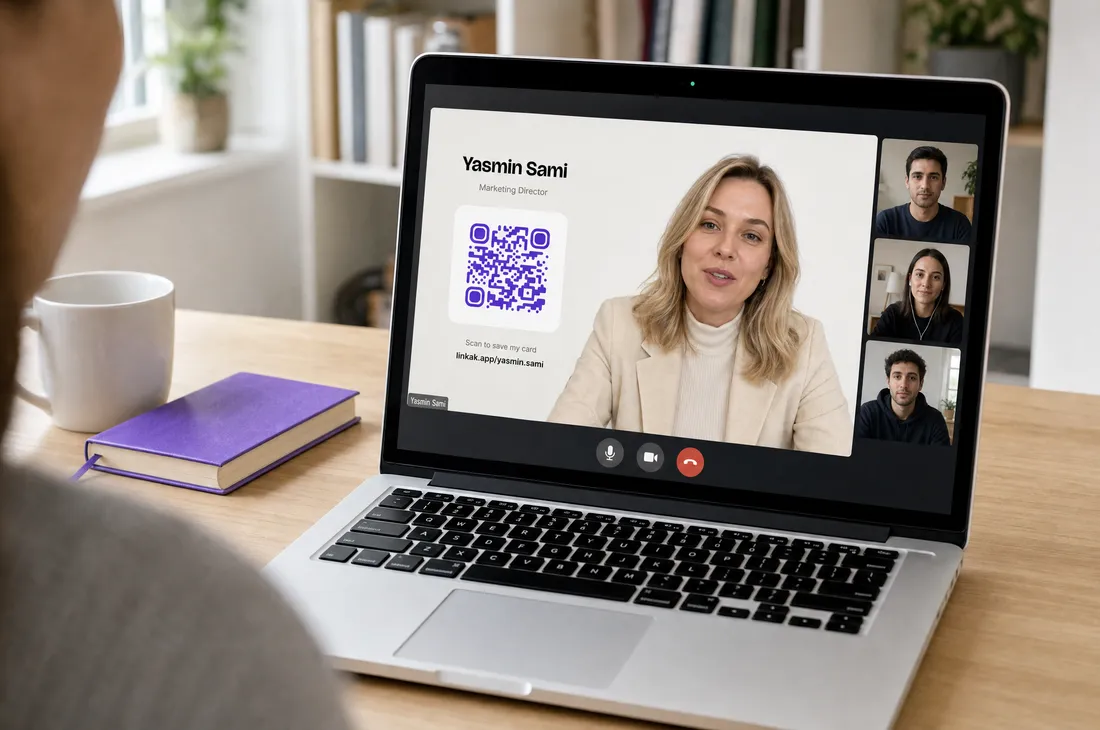
A meeting background with your name, title and a QR to your Linkak card. Anyone on the call scans it and has your contact — no 'can you send me your details?'.
What changes
What you get with Linkak, with the old way crossed out below it.
- A clean background with your name and roleA messy room or a blurred one
- A QR anyone on the call can scan'Can you send me your email?' at the end of every call
- Your contact saved before the call endsNobody remembers your title by the next day
- A background for everyone on the teamEvery employee's background looks different
How it works
Choose light or dark
And whether your details sit on the left or the right.
Download
A full-HD image with your name, title and QR.
Set it in your call app
Zoom, Microsoft Teams or Google Meet.
Get saved
People scan the QR on screen and land on your card.
The details
Made for calls
1920×1080, the size Zoom, Teams and Meet expect.
Your details, live
Generated from your card, so it's always current when you download it.
Left or right
Put your details on the side your camera doesn't cover.
Light and dark
Pick what suits your room and lighting.
For the whole team
Every employee downloads their own, in their card's colour.
Free
Included on every plan.
Who it's for
Remote sales
Every demo ends with a saved contact.
Consultants
Look sharp on every call.
Companies
A consistent brand on every screen.
Questions, answered
Which apps does it work in?
Zoom, Microsoft Teams, Google Meet and any app that accepts an image background.
Will the QR scan from a video call?
Yes, it's sized to be scanned from another person's screen.
Can my team get matching backgrounds?
Yes. Each employee downloads their own, built from their company card.
Is it free?
Yes, on every plan.
Turn your next call into a new contact.