
Wallet business card
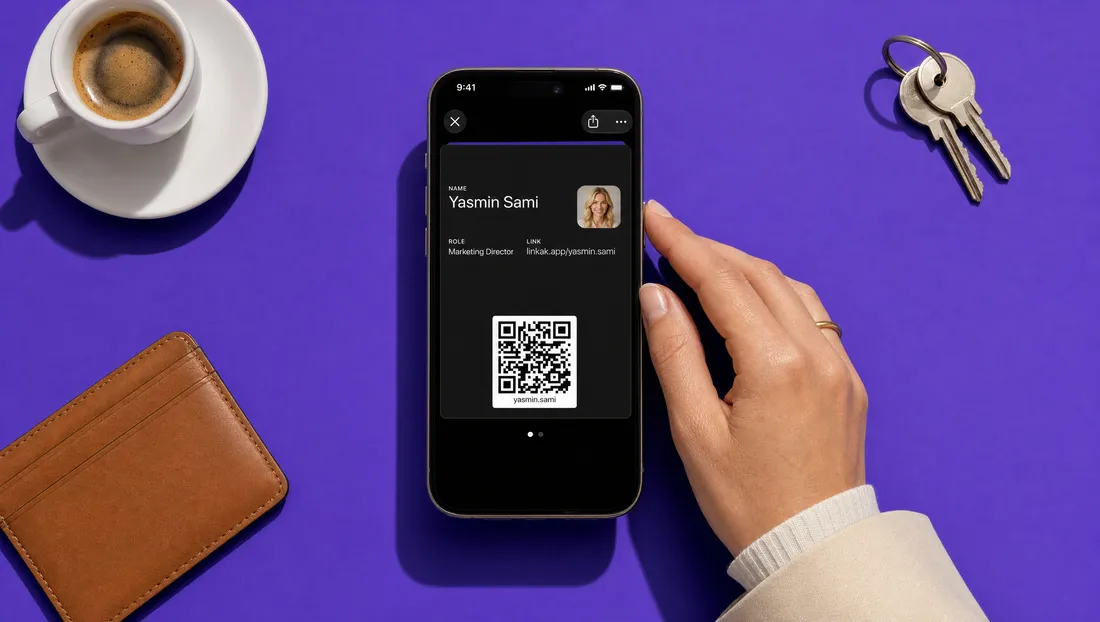
The business card that stays in their phone.
Your card lives in Apple Wallet and Google Wallet — next to their boarding passes, not in a drawer. Change a detail and it updates for everyone who saved it.
What changes
What you get with Linkak, with the old way crossed out below it.
- Saved in their Wallet with one tapPaper cards that end up in the bin
- Edit once — every saved card updatesA new number means reprinting everything
- A message on their lock screen when you have newsNo way to reach people after the meeting
- Your name, role, company and link — always rightContacts saved as 'Ahmad expo' with no context
How it works
Design your card
Your colour, your photo, your company. The wallet card follows your Linkak page.
Share it
QR, NFC tap, link, email signature or meeting background. They tap 'Add to Wallet'.
It stays current
Change your number or title and the card updates in every wallet it was saved to.
Reach them again
Send a short notification to everyone who saved your card — a new offer, an event, a holiday greeting.
The details
Apple and Google
Works on iPhone and Android, with no app needed on their side.
Lock-screen messages
Send or schedule a notification to everyone who saved your card (Pro).
Near your location
On iPhone, your card can appear on the lock screen when they're near your office or shop.
Live updates
Details change in every saved card automatically.
Switched off when someone leaves
On company accounts, an offboarded employee's card is voided in every wallet.
Loyalty stamps by phone number
Cafés and shops stamp customers by their phone number, straight from the dashboard.
Who it's for
Professionals
A card people actually keep.
Companies
Every employee card on brand, and controlled.
Shops and cafés
Stay on your customers' phones with offers, and stamp loyalty by phone number.
Questions, answered
Does the person I meet need an app?
No. Apple Wallet and Google Wallet are already on their phone.
Does it work on Android?
Yes, through Google Wallet.
What happens when I change my number?
The card updates in every wallet it was saved to.
Can I send them notifications?
Yes, on Pro and company plans — send now or schedule for later.
Can I add it to my own wallet?
Yes, from your dashboard or the Linkak app, or have it emailed to you.
Does it show on Apple Watch?
Yes — your card on your Apple Watch through Wallet. A card saved in Apple Wallet shows on the paired Apple Watch. There's no separate Watch app.
What happens if an employee leaves?
Switch off their card and it's voided in every wallet it was saved to.
Be the card they keep.